

Distributor returns & claims
Manage Distributor Returns and Claims From Request to Resolution
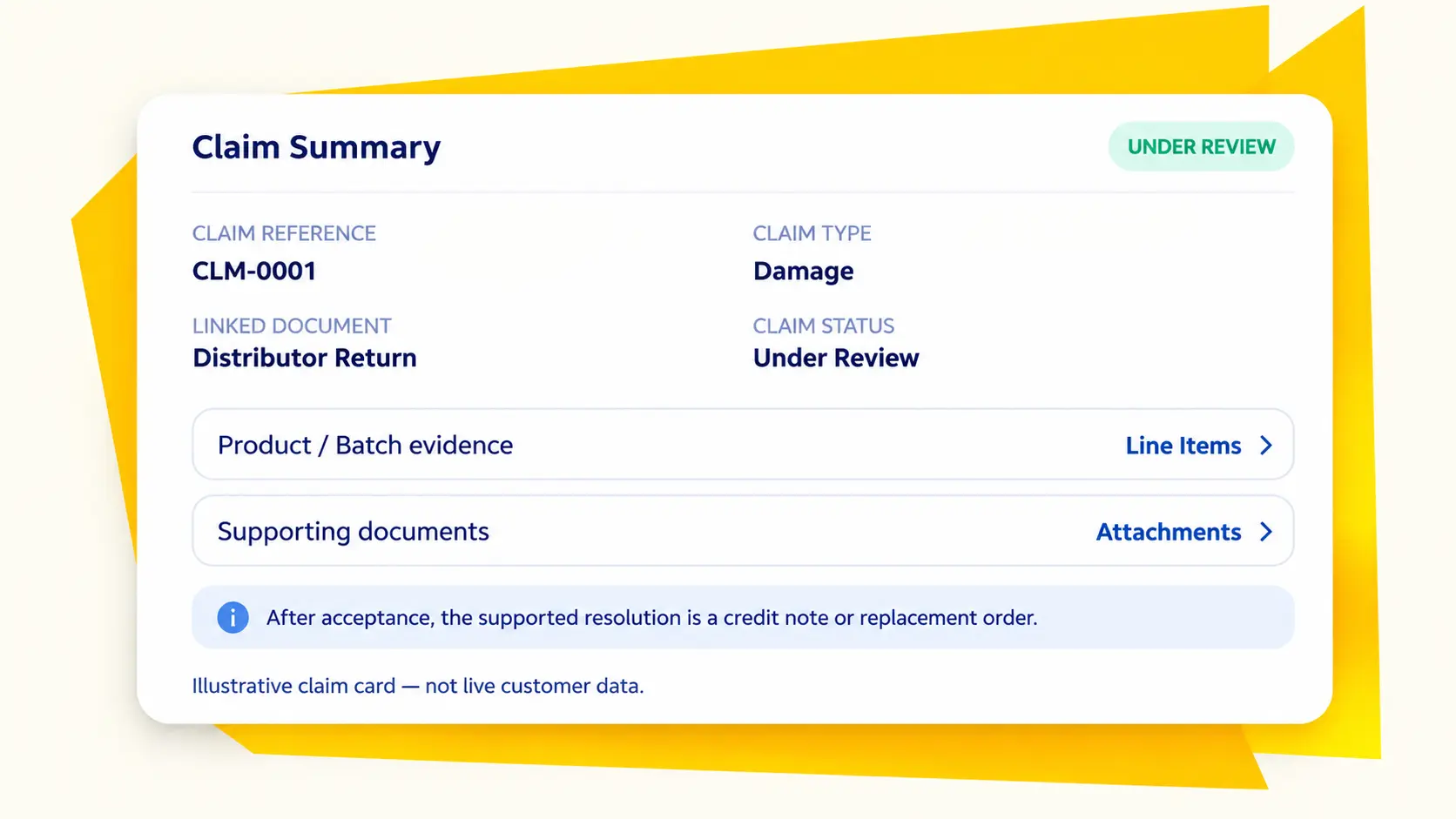
Bring claim reasons, line-level product details, supporting documents and approval decisions into one traceable workflow. Review accepted claims and returns, then resolve them through a credit note or replacement order.
Structured claim reasons
Capture the Reason Behind Every Claim
Classify a request using the claim types supported by the claims record and link it to the document that justifies it.
Price Difference
Claim a price or MRP difference after an invoice has been issued, including differences on existing stock.
Damage
Record claims for goods reported as damaged.
Expiry
Record claims for batch-tracked stock that has passed expiry while with the distributor.
Scheme
Capture claims arising from a scheme-related entitlement.
Transport
Track claims relating to transport issues, loss or damage.
Other
Provide a category for claim reasons outside the named claim types.
Connect Each Claim to Its Supporting Record
A claim uses a reference type and reference ID to point to the document that justifies the request. This creates a clearer path for reviewers to validate the claim context.
Price Difference can reference a Distributor Invoice.
Expiry can reference a Distributor Return.
Claim line items record product variant and batch details.
Record claimed quantity, unit amount and total amount.
Review with evidence
Give Reviewers the Details They Need
Keep claim calculations and supporting documents attached to the claim record for review.

Line-Level Claim Items
Record variantId, batchId, claimed quantity, unitAmount and totalAmount for each claim line.

Supporting Attachments
Link documents through the Documents module, including damage photographs and transport bills.

Approval Levels
Use currentApprovalLevel and the existing approval workflow engine configured for Claim approvals.

Claim approval workflow
Move Claims Through a Defined Review Process
Follow the claim status from preparation through review and decision to final resolution.

Draft
Prepare the claim type, linked reference, claim lines and supporting documents.

Submitted
Send the claim into the approval process. Approval level is managed using the existing workflow engine.

Under Review
Review claim evidence, product/batch details and claimed values.

Approved or Rejected
Record the approval decision through the claim workflow.

Settled
When accepted, resolve the claim or return through a credit note or replacement order.

Approval Consistency
Reuse approval_workflows with appliesTo = Claim rather than maintaining a separate claim approval engine.

Accepted claim / return resolution
Resolve Accepted Claims Through Two Supported Outcomes
An accepted claim or return should lead to a concrete, traceable resolution.

Credit Note

Replacement Order
Questions people ask before Signing Up.
The supported claim types are PriceDifference, Damage, Expiry, Scheme, Transport and Other.
Yes. The claim uses referenceType and referenceId to point to the document that justifies it. The supplied design gives DistributorInvoice and DistributorReturn as examples.
The status flow is Draft, Submitted, UnderReview, Approved, Rejected and Settled. Claim approvals reuse the existing approval_workflows engine with appliesTo set to Claim.
Yes. Claim items can record variantId, batchId, quantity, unitAmount and totalAmount as line-level evidence.
Yes. Claim attachments link documents from the Documents module, such as damage photos or transport bills.
The supported facilities are a credit note or a replacement order.
No. Those are not supported claim/return resolution facilities. Accepted claims and returns are resolved through a credit note or replacement order.
Stop Managing Blind.
Start Leading with Data.
Book a 20-minute demo. We’ll show you exactly how MyFieldHeroes fits your workflow- whether you run 5 MRs or 500 field reps.
- Built in India
- No credit card required
- Live in under 48 hours