
Warehouse Stock . Distributor Inventory . Batch Traceability

Inventory and stock management software for complete visibility from warehouse to distributor.

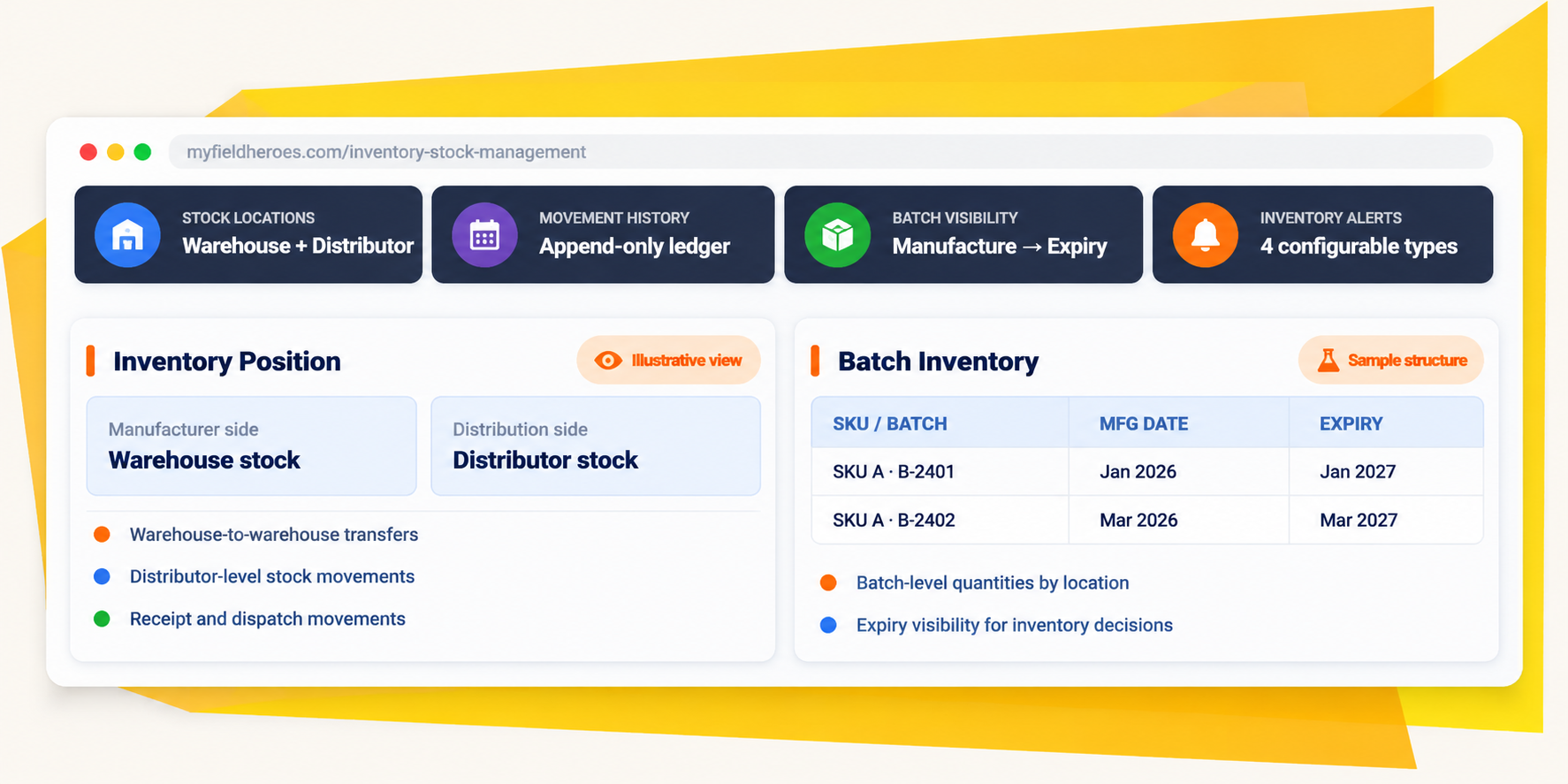
Track stock across warehouses and distributor networks, record every inventory movement, control adjustments with approvals and trace products by batch, manufacturing date and expiry date. MyFieldHeroes helps distribution teams monitor stock health, act on inventory alerts and make better replenishment and movement decisions.

Inventory visibility built around locations, movements, batches and exceptions.

Warehouse & distributor stock
0 Levels
Movement history on each side
0 Ledger
Stock & inventory health
0 Alerts
Inventory reporting views
0 Reports

The Inventory Management Challenge

Knowing the stock balance is only the beginning. You need to know where it is, how it moved and when it expires.

Inventory across multiple warehouses and distributors can become difficult to control when stock balances, movement history and batch details are disconnected. Without a reliable ledger, approved adjustment process and batch-level visibility, teams can struggle to investigate discrepancies, identify aging inventory or respond to expiry and dead-stock risks.

Stock is spread across locations

Warehouse stock and distributor stock need separate visibility, while transfers and other movements must remain traceable.

Adjustments need accountability

A stock correction should not become a posted movement without the required review and approval.

Batch and expiry details can go missing

A total quantity alone cannot identify manufacturing dates, expiry dates or the physical batch from which units originated.

Inventory risks need more than a static threshold

Low stock, zero stock, near expiry and dead inventory need configurable rules and alerts that can be acknowledged and resolved.

The MyFieldHeroes Approach

One inventory foundation for stock control, batch visibility and movement accountability.

MyFieldHeroes brings together warehouse-level and distributor-level stock records, stock movement ledgers, warehouse transfers, approval-based stock adjustments, batch records and inventory alert logs. The reporting layer can use these records to produce stock summary, aging, movement-velocity and dead-inventory views.

Stock by location

Maintain warehouse-level product stock and distributor-level stock records with location context.

Movement accountability

Keep a chronological, append-only record of stock changes and their references.

Batch and expiry traceability

Track batch numbers, manufacturing dates and expiry dates across stock and transaction records.

Inventory & Stock Management Features

Control stock at every stage of its distribution journey.

Organise warehouse locations and stock records.

Maintain warehouse profiles with name, address, latitude and longitude, description and active status. Manager-related attribution follows the supplied addedBy/updatedBy conventions. Warehouse-level product stock can be viewed separately from distributor-level stock. Warehouse capacity is not currently a field in the described schema. Capacity planning can be considered as a future enhancement if it becomes a product requirement.
Image description

Make every stock change traceable.

Manufacturer-side product_stock_movements and distributor-side distributor_stock_movements together form the stock ledger. Entries capture the movement date, quantity and type, with source or destination context through referenceType, referenceId and the relevant warehouseId or distributorId. The intended ledger design is immutable and append-only: every stock change should create a movement row, preserving a chronological history rather than silently rewriting past movements.
Image description

Manage inward, outward, transfers and controlled adjustments.

Stock inward and outward movements use defined movement types. GRN confirmation posts inward movements, while delivery challans post outward movements on dispatch. Warehouse-to-warehouse transfers are handled through product_stock_transfers and their line items. Stock adjustments add a controlled approval path: Draft → Submitted → Approved or Rejected. The movement is posted after approval, supporting separate inventory adjustment and approval permissions.
Image description

Trace product batches from manufacturing stock through distribution.

Batch records identify a product variant and batch number, with manufacturing date, expiry date and optional batch-specific cost price. Batch-level stock is maintained separately for warehouse and distributor inventory, so one SKU can be held across multiple batches at the same location. Batch references are carried into relevant distributor order and invoice lines, retailer order and invoice lines, delivery challan items, GRN items and claim items. This creates the data foundation for expiry visibility, FEFO (First Expiry First Out) operations and batch traceability across the distribution chain.
Image description

Turn stock thresholds and ageing risks into trackable alerts.

Configure alert rules by warehouse or distributor, for a specific product variant or all variants in scope. The four supported types are LowStock, OutOfStock, NearExpiry and DeadStock. The threshold value is interpreted according to alert type: quantity for LowStock, days until expiry for NearExpiry and days since last movement for DeadStock. Triggered alerts are logged with Open, Acknowledged and Resolved statuses, giving teams a way to track whether an inventory issue is still awaiting action. The existing product_variants.alertStock remains available as a fallback default threshold.
Image description

Understand stock position, age and movement velocity.

The five specified inventory reports can be derived from the stock, movement, batch and alert records. Stock Summary aggregates warehouse and distributor stock. Stock Aging uses batch manufacturing dates and shared aging buckets. Fast Moving and Slow Moving use movement velocity over a rolling window. Dead Inventory identifies stock with no outbound movement beyond the configured DeadStock threshold.
Image description

Business Outcomes

Move from stock counts to inventory control.

Better location-level visibility

Understand stock held in warehouses and across distributor locations.

More accountable stock corrections

Route adjustments through review and approval before posting a movement.

Stronger batch traceability

Connect batch numbers and dates to stock and relevant transactions.

Earlier inventory risk signals

Track low stock, out of stock, near expiry and dead-stock alerts through resolution.

Questions people ask before Signing Up.

What is inventory and stock management software for distributors?

It helps monitor stock across warehouses and distributor locations, record stock movements, manage adjustments, trace batches and expiry dates, and review inventory reports.

Can MyFieldHeroes track stock across multiple warehouses?

The supplied design includes warehouse records, warehouse-level product stock and warehouse-to-warehouse stock transfers. Warehouse profiles include name, address, coordinates, description and active status.

Does MyFieldHeroes track distributor-level inventory?

Yes. distributor_stocks represents stock at distributor level, alongside product_stocks for warehouse-level stock.

What is a stock ledger?

A stock ledger is a chronological record of inventory movements. The manufacturer-side and distributor-side movement tables record movement date, quantity, type and source or destination references as an append-only history.

Can stock adjustments require approval?

Yes. The added workflow uses Draft, Submitted and Approved/Rejected stages. The stock movement is posted after approval, supporting separate adjustment and approval permissions.

Does the system support batch and expiry tracking?

Batch records store batch number, manufacturing date and expiry date for a product variant. Batch-level stock is tracked separately for warehouses and distributors, and relevant transaction line items can reference a batch.

What is FEFO inventory management?

FEFO means First Expiry First Out: stock with the earliest expiry date is prioritised first. Batch and expiry information provides the data foundation for FEFO picking; the exact picking algorithm or workflow is not specified in this assessment.

What inventory alerts are supported?

The configured alert types are LowStock, OutOfStock, NearExpiry and DeadStock. Triggered alerts are logged with Open, Acknowledged and Resolved statuses.

What inventory reports are available?

The five specified reports are Stock Summary, Stock Aging, Fast Moving, Slow Moving and Dead Inventory. They are derived from stock balances, movements, batch dates and alert thresholds.

Can the system manage warehouse capacity?

Warehouse capacity is not currently a field in the supplied schema. Capacity fields are a recommended addition only if capacity planning becomes a product requirement.

Can batch traceability support product recalls?

Batch references across stock and transaction lines provide a traceability foundation through the distribution chain and can help identify affected batches. The precise recall workflow is not described in the supplied assessment.

Stop Managing Blind.

Start Leading with Data.

Book a 20-minute demo. We’ll show you exactly how MyFieldHeroes fits your workflow- whether you run 5 MRs or 500 field reps.

Secret Link